
Pioneer DVL-909 DVD LD Player Rescue
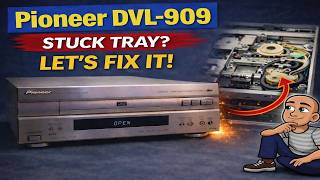
How to Fix Your Disc Drive by Replacing the Loading Belt
A stuck disc drive can feel like a roadblock. Your favorite console or player won’t open its tray. The machine whirs but nothing happens. Often, the problem is simple. A small rubber belt inside the drive has worn out. This belt is a key part that moves the disc tray in and out. Over years of use, belts can stretch, become misshapen, or lose their grip. The good news is you can fix it yourself. This guide will walk you through replacing the loading belt and re-greasing key parts. You can bring your classic gear back to life.
What You Will Need for This Repair
Gathering the right tools before you start makes the job smoother. You will only need a few common items. Having them ready will help you avoid stopping in the middle of the fix.
First, you need the replacement part. You will want to buy a new loading belt, also called a drive belt. These are easy to find. You can search for them on popular online marketplaces like eBay or Amazon. Make sure to look for one that fits your specific machine model.
Next, you need basic tools. A Phillips screwdriver is required to open the case. You will also need a small amount of plastic-safe grease. A product like Molly grease works well. This grease helps moving parts slide smoothly. It reduces stress on the new belt.
Safety First: Unplug Your Machine
This step is simple but critical. You must unplug the machine from the wall outlet before you start. Some people forget to do this. Working on a device that is still plugged in is dangerous. It can lead to electric shock. It can also damage the machine. Always make sure the power cord is disconnected.
Step-by-Step Repair Guide
Opening the Device and Removing the Top Cover
Look at the outside of your disc drive or player. You will see screws holding the case together. Typically, there are a couple of screws on each side. You will also find two more screws on the back panel.
Use your Phillips screwdriver to remove all of these screws. It is a good idea to keep them in a small bowl or cup. This stops them from rolling away and getting lost. Once all screws are out, you can lift off the top cover. This will reveal the inner workings of the machine.
Manually Opening the Disc Tray
With the top cover off, you will see the disc drive mechanism. You may also see a small white cog or wheel. This is part of the system that moves the tray. The loading belt connects to this. Right now, you likely cannot get to the belt. This is because the disc tray is closed.
Since your tray won’t open normally, you need to open it manually. Find the small white cog. Use your finger to turn this cog. You should turn it towards the rear of the machine’s case. You will need to turn it many times. Keep turning it slowly.
As you turn, you will see the laser assembly inside start to move. It will drop down. After this, the disc tray will begin to slide out. You can then pull the tray all the way open by hand.
Removing the Disc Tray Completely
Pull the tray out until it stops. You will see two small plastic clips holding it in place. These clips act as stops. To remove the tray, you need to release these two clips. Gently push or lift them. This will allow you to slide the tray all the way out of the machine.
Set the tray aside carefully. You now have full access to the loading belt and other internal parts.
Cleaning and Re-greasing Moving Parts
While you have the tray out, this is a great time to perform maintenance. This extra care will make your machine work better and last longer. It will also put less strain on your new belt.
Look at the tray’s metal or plastic slides. These are the rails it glides on. You will see some old grease residue on them. This grease has likely dried out or become dirty.
First, wipe off all the old grease with a clean cloth. Next, apply a fresh, thin layer of your plastic-safe grease. Put the grease along the edges where the old grease was. Do not use too much. A little goes a long way.
Also, look for a small plastic slider and a gear wheel inside the machine. You may see old grease here too. If it feels sticky or gooey, wipe it away. Then, apply a small amount of fresh grease to these areas. This keeps everything moving smoothly.
Replacing the Old Loading Belt
Now you can see the drive belt. It is a small rubber band. It goes around a motor and the white cog. Your old belt may look stretched, cracked, or misshapen. This is why the tray won’t open.
Carefully remove the old belt. It should lift off easily. Take your new replacement belt and stretch it into place. Make sure it sits snugly in the grooves on both the motor wheel and the white cog. A proper fit ensures good traction.
Reinstalling the Disc Tray Correctly
Putting the tray back in is the trickiest part. You must align it properly. Look at the tray. You will see two small plastic tabs on its sides. These tabs must hook onto two stops inside the machine.
Line both tabs up with their stops at the same time. If one tab is not lined up, the tray will sit crooked. This will cause it to stick or move poorly. Pull the tray out slightly and straighten it. Try again until both tabs click into their stops at the same moment. You will hear or feel a light click.
When both sides are clicked in, your tray is straight and secure. Gently push the tray closed by hand. You should feel it move smoothly on the newly greased rails.
Testing Your Repair
Reattach the top cover of your machine. Screw all the screws back into their original holes. Do not over-tighten them. Finally, plug the power cord back into the wall.
Turn on the machine. Press the eject button. Your disc tray should now open smoothly and quietly. Listen for any grinding or sticking sounds. The new belt also drives the laser assembly up and down. Sometimes this part can get jammed. If your tray opens and closes well, the repair is a success.
Keeping Your Retro Tech Alive
Fixing a disc drive by replacing a belt is a satisfying project. It saves a piece of classic technology from being thrown away. Many old consoles, DVD players, and CD players end up labeled “untested” and sold for parts. Often, they just need this simple fix.
Learning this skill helps you preserve these devices. It gives them more years of use. You can enjoy your old games and movies again. The process teaches you about how these machines work.
Conclusion: A Simple Fix with Big Results
A broken disc drive does not mean the end of your machine. In most cases, the problem is just a worn-out loading belt. You can fix it with basic tools and a few dollars for a new part. The steps are clear. You need to open the case, manually open the tray, replace the belt, and clean the old grease. Taking care during reassembly ensures everything works smoothly.
This repair is a great entry into fixing older electronics. It builds confidence for tackling other projects. You can bring a piece of your tech history back from the brink. The next time you hear that familiar whirring sound with no action, you’ll know what to do.
If you have any questions about your specific model, you can often find help in online forums. For visual guidance, you can watch the full repair video linked at the top of this post.