
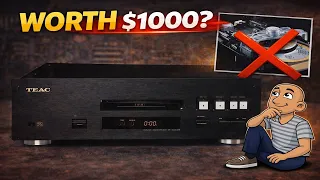
Saving this $1000 Teac VDRS7 CD Player
<
They don’t make them like they used to. This is especially true for high-end audio gear from decades past. Some older CD players were built like tanks, with weighty metal bodies and detailed internal construction. When they fail, it can feel like losing a piece of audio history. But many common faults are actually simple to repair yourself. You can save these classic machines from the landfill. You can restore them to their former glory with some basic tools and careful work. This guide walks through a full restoration of a classic, high-end Sony CD player. You will learn the common faults and how to fix them step by step.
Common Problems in Older High-End CD Players
Many old CD players share the same weak points. Over many years of use, a few parts wear out or break. Knowing what to look for can help you diagnose the problem fast.
Plastic loading gears are a top culprit. These gears move the disc tray in and out. The plastic can become brittle with age. Teeth can crack off or the whole gear can split. A broken gear means the tray will not open or close.
The laser sledge gear causes another major issue. This gear moves the laser eye across the disc. If the teeth wear down or break, the player cannot read the disc properly. You might hear the disc spin, but it won’t play. Tracks may skip or the player won’t find them at all.
Finally, the grease inside the player dries out. The manufacturer uses grease to help parts move smoothly. Over decades, this grease hardens. It can cause the laser to stick or move in a jerky way. This leads to stuttering audio or play failures.
Diagnosing the Fault
The first step is to test the player. Plug it in and see what happens. A good sign is if you can hear the laser assembly move when you power it on. In many players, this movement must happen before the tray will open. If the tray opens, try a disc. If the disc spins but does not play, the laser is likely the issue. Try a few different discs to be sure one isn’t just damaged.
A Step-by-Step Restoration Guide
This guide uses a Sony VRS7 player as an example. The process is very similar for many high-end players from the 1990s and early 2000s. Always unplug the player before you begin any work.
Step 1: Open the Case
The outer case is usually held on by screws. On this Sony, they are allen screws. You will likely find them on the top and sides. Remove them all and carefully lift off the top cover. You will often see a second metal shield inside. Remove this next to access the main chassis.
Step 2: Access the Laser Assembly
You need to reach the laser eye and its moving parts. You may need to remove a small circuit board or metal plate that sits above it. Be gentle. Look for ribbon cables or small plugs. Note where they connect so you can put them back.
Step 3: Inspect the Gears
With the laser in view, check the moving parts. Look at the main loading gear and the laser sledge gear. Turn them by hand and look for missing teeth or cracks. Spin the disc spindle to make sure it turns freely. If the gears look good, the problem might be the laser itself or dried grease.
Step 4: Clean the Laser Eye
The laser eye is a small glass lens. It can collect dust. Use a cotton swab and a tiny amount of isopropyl alcohol. Gently wipe the lens. Let it dry completely before testing. Sometimes, this cleaning alone can fix a player that won’t read discs.
Step 5: Check for Dried Grease
Look at the metal rails the laser sled moves on. If the old grease looks hard or gummy, it needs replacing. Wipe off the old grease with a cloth and alcohol. Apply a very small amount of new, white lithium grease. Do not use too much. You only need a thin film to help it slide.
Step 6: Test Before Reassembly
Before you put everything back together, do a test. Carefully reconnect the laser and any cables you removed. Plug the player in and power it on. Place a disc on the spindle (you may need to hold it in place). See if it spins and reads. If it now works, you can proceed to reassembly.
Replacing a Faulty Laser Assembly
If cleaning doesn’t work, the laser unit itself may be dead. Lasers have a limited lifespan. Replacing one is a detailed job, but it is very doable.
First, you must identify the correct laser model. It is usually printed on the side of the unit. In this Sony player, it was a KSS-240A model. You can find replacements online. Make sure you buy the exact model number.
How to Swap the Laser Unit
- Remove the entire laser assembly from the player. This usually involves removing a few more screws.
- The laser is often connected to a small circuit board. You need to transfer this board from the old laser to the new one. Unscrew it carefully.
- Be aware of small springs. There is often a spring that provides tension for the laser movement. Note exactly where it goes before you remove anything.
- Install the old circuit board onto the new laser unit. Secure it with the screws.
- Carefully place the new laser assembly back into the player. Reconnect all cables. The cables are often color-coded, which makes reconnecting them easier.
Reassembly and Final Testing
Once the new laser is installed, reverse your steps to put the player back together. Do not put all the screws in the case right away. First, loosely connect everything and do another test. Make sure the tray opens and closes. Verify that it reads a disc and plays it without skipping.
If everything works, you can finish screwing the case back on. Give the outside of the player a good clean. Wipe down the metal case and the front panel. It will look and perform like new.
Why This Sony VRS7 Is Special
This particular CD player has some unique features. It is built for serious audio quality. It is very heavy, which shows its solid construction.
The Transport Design
Most CD players have the disc motor underneath the disc. This Sony uses a top-loading design. The motor and spindle are above the disc. This design can help reduce vibration and noise. It is a mark of high-end engineering.
The Inputs and Outputs
On the back, you will find high-quality, gold-plated RCA outputs. These provide the best connection for your stereo amp. It also has both coaxial and optical digital outputs. These let you use the player as a transport with an external digital-to-analog converter.
The front panel is very simple. It has only the basic buttons: play, stop, pause, skip, and eject. This clean design focuses on sound quality over flashy features.
Conclusion: Save Classic Audio Gear
Restoring an old CD player is a rewarding project. You save a piece of well-made technology. You also save money compared to buying a new high-end player. The sound quality from these older reference players can still be excellent.
The key points to remember are:
- Diagnose first: Check the simple things like gears and a dirty laser.
- Use the right parts: Always match the laser model number exactly.
- Work carefully: Take pictures as you go and keep small parts organized.
- Test often: Test the player after each major step before closing it up.
You do not need to be an expert. With