
Is the Anycubic Kobra X worth £279?
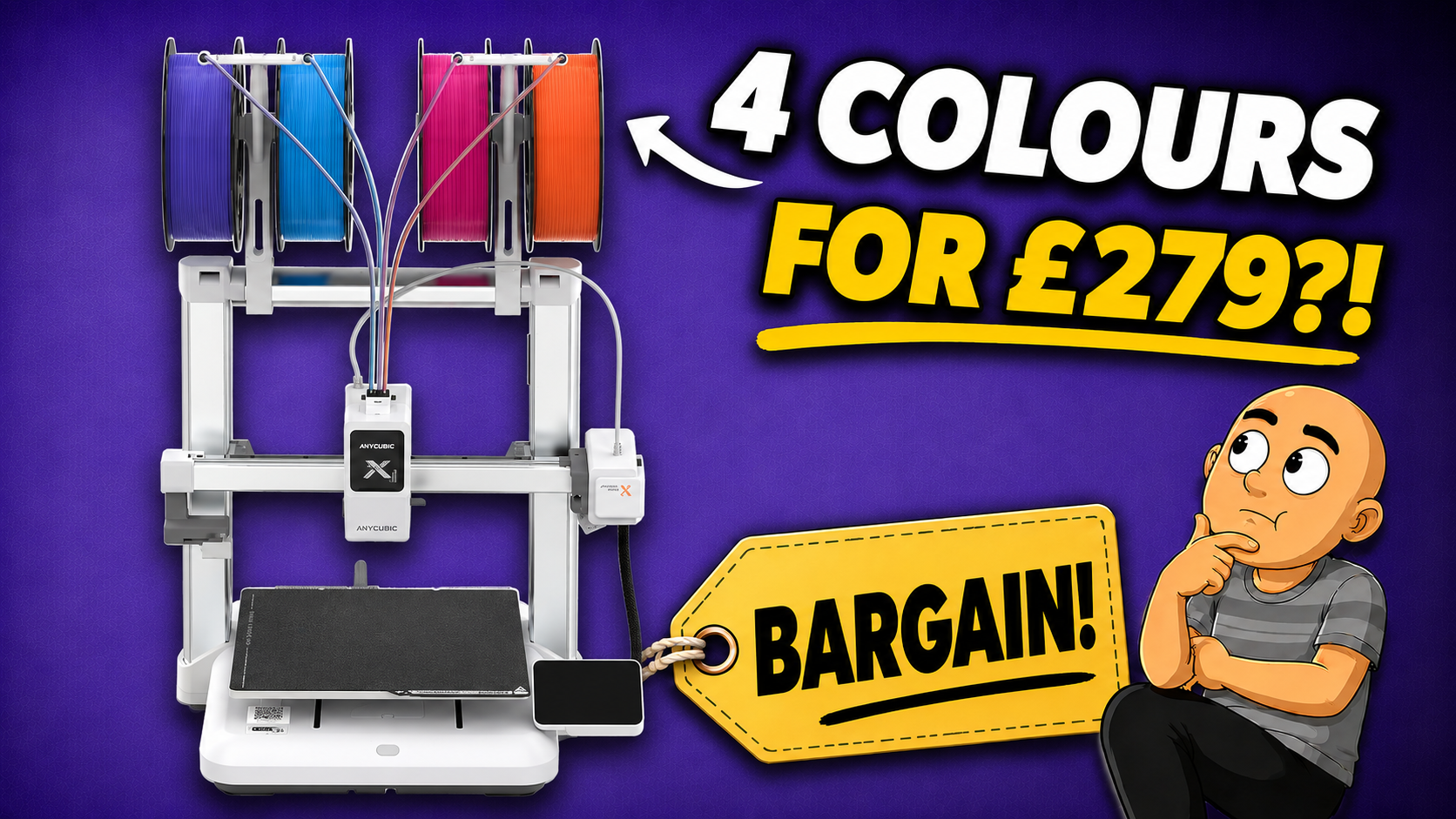
Anycubic Kobra X Review: Is This £279 4-Colour Printer Too Good to Be True?
The Anycubic Kobra X promises a lot for £279: four-colour printing straight out of the box, faster colour changes, and less filament waste than the usual single-nozzle multicolour setup. That is a very ambitious package at this price, so I put it through a selection of real multicolour prints to see whether the claims hold up.
The short version is that it punches well above its weight. It is not perfect, and “less waste” absolutely does not mean “no waste”, but the Kobra X makes a surprisingly convincing case as an affordable entry into four-colour 3D printing.
Key Takeaways
- The integrated ACE Gen 2 tool head enables quicker colour changes through short filament retractions.
- The Kobra X completed a 1,149-layer-change multicolour test in just over a day.
- Multicolour printing still creates significant purge waste despite Anycubic’s waste-reduction design.
- At £279, the Kobra X delivers remarkably capable four-colour printing with a few sensible compromises.
Table of Contents
- The ACE Gen 2 system is built into the print head
- Assembly and first-time calibration
- Loading four filaments takes a little manual work
- Anycubic Slicer is familiar and practical
- Print speed is where the Kobra X genuinely impresses
- Less waste is not the same as no waste
- Hardware, controls, and useful extras
- Is the Anycubic Kobra X worth it?
The ACE Gen 2 system is built into the print head
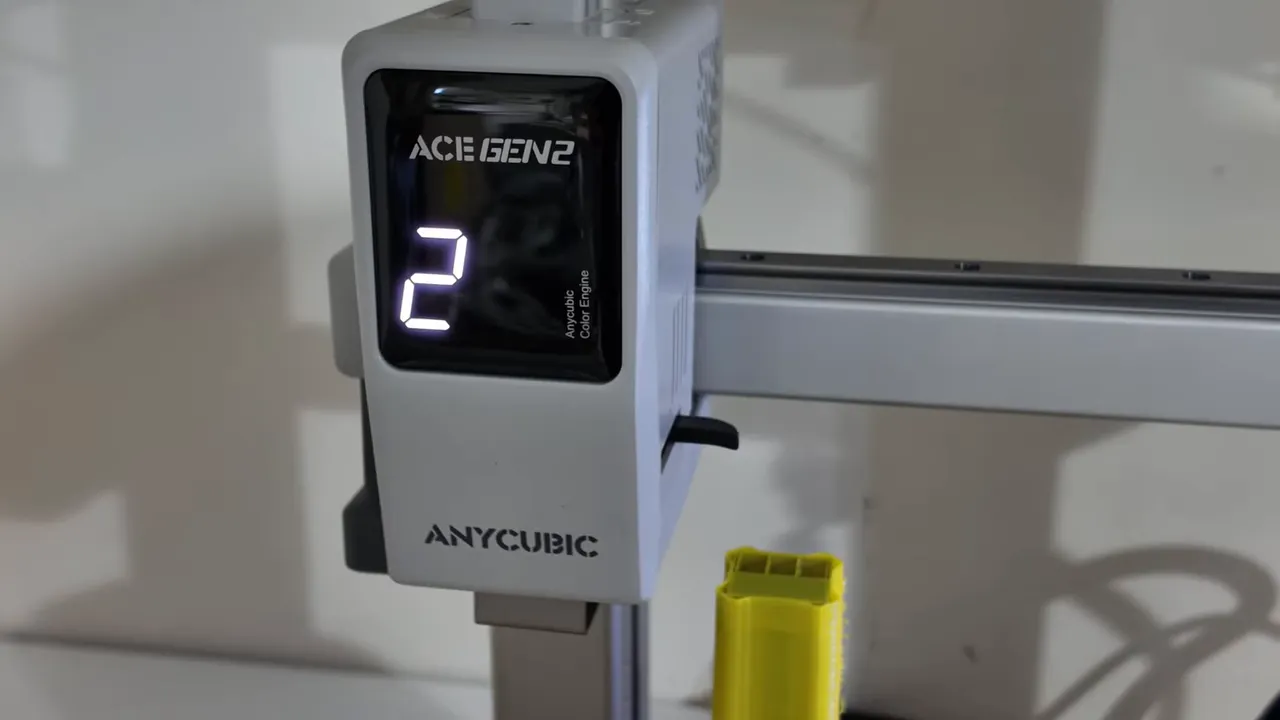
The Kobra X’s most interesting feature is its unusual ACE Gen 2 tool head. Rather than using a separate powered filament box, Anycubic has placed the four-filament selection mechanism directly inside the print head.
Four spools sit on holders above the printer. Each spool feeds through its own PTFE tube to the tool head, where a motor-driven mechanism selects the required filament and engages it with the extruder.
During a colour change, the active filament is cut, retracted slightly, and replaced with the next colour. Because the selector is in the tool head, the filament only needs to retract roughly 30mm. The cutter is also positioned around 10mm above the nozzle.
In theory, that has two important benefits:
- Faster colour changes, because there is much less filament to retract and reload.
- Reduced flushing, because the cut happens close to the nozzle.
That is a notably different approach from external multicolour systems such as Bambu Lab’s AMS or Creality’s CFS, where filament has further to travel each time a colour is changed.
Assembly and first-time calibration
The printer arrives partly assembled, with the base and gantry supplied as two main sections. Assembly involves securing those sections with eight bolts, connecting several clearly labelled cables, fitting the purge wiper, attaching the four spool holders, and routing the PTFE tubes in the correct order.
It took me around 15 minutes to put together, with no real issues along the way.
Once powered on, the Kobra X guides you through automatic bed levelling, Z-offset setup, and vibration compensation. The calibration process does take a little while, but aside from Wi-Fi and app binding, it is largely hands-off. Once it is complete, the printer is ready to use.
Loading four filaments takes a little manual work
Filament loading works slightly differently from the powered spool systems used by some competitors. There are no motors in the spool holders to pull filament all the way from the spool.
Instead, each filament needs to be manually fed through its PTFE tube until it reaches the print head. A tone confirms that it has reached the correct point, and the tool head handles the rest.
The Kobra X includes an RFID reader for compatible Anycubic filament, although its placement is a little awkward. The reader is on the base of the printer, so each spool must be physically held over it before loading if you want the printer to identify it automatically.
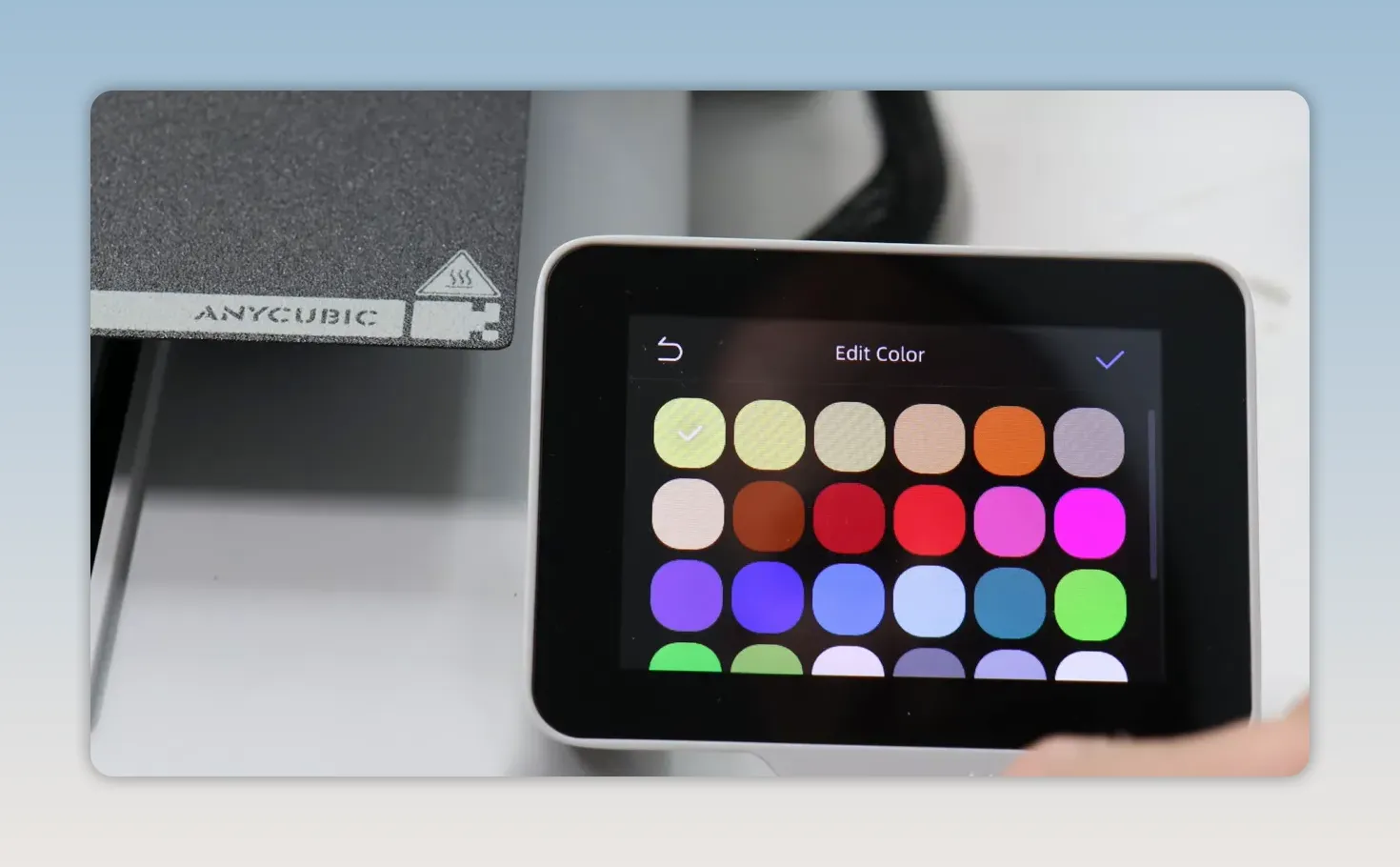
It works, but manually setting the filament type and colour on the touchscreen is so quick that I am not sure many people will bother with the RFID process.
Anycubic Slicer is familiar and practical
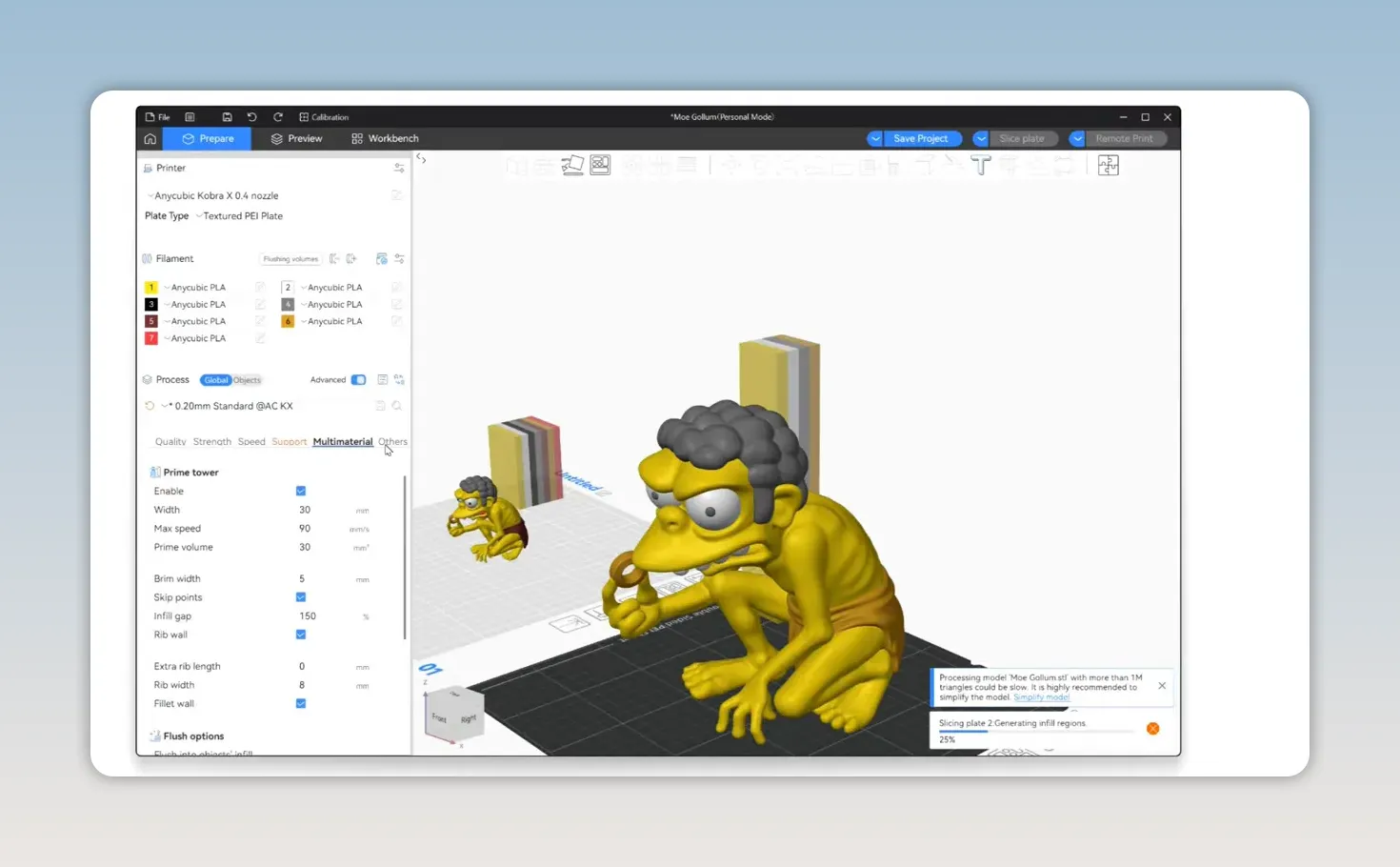
Once the filaments are loaded, they are managed through Anycubic Slicer Next. It is based on Orca Slicer, so anyone already comfortable with Orca Slicer or Bambu Studio should feel at home reasonably quickly.
The slicer allows you to assign colours to individual model parts, see which physical filament slot each colour is mapped to, and check separate estimates before committing to a job. That includes the material used for:
- The model itself
- The purge tower
- The flushed filament
That visibility is useful because multicolour printing can make an apparently small model consume a surprising amount of additional material.
Files can be sent wirelessly or transferred by USB drive if you prefer to keep the printer offline. There are also several preloaded files on the printer, including a purge tray, which is well worth printing before tackling a large multicolour job.
Print speed is where the Kobra X genuinely impresses
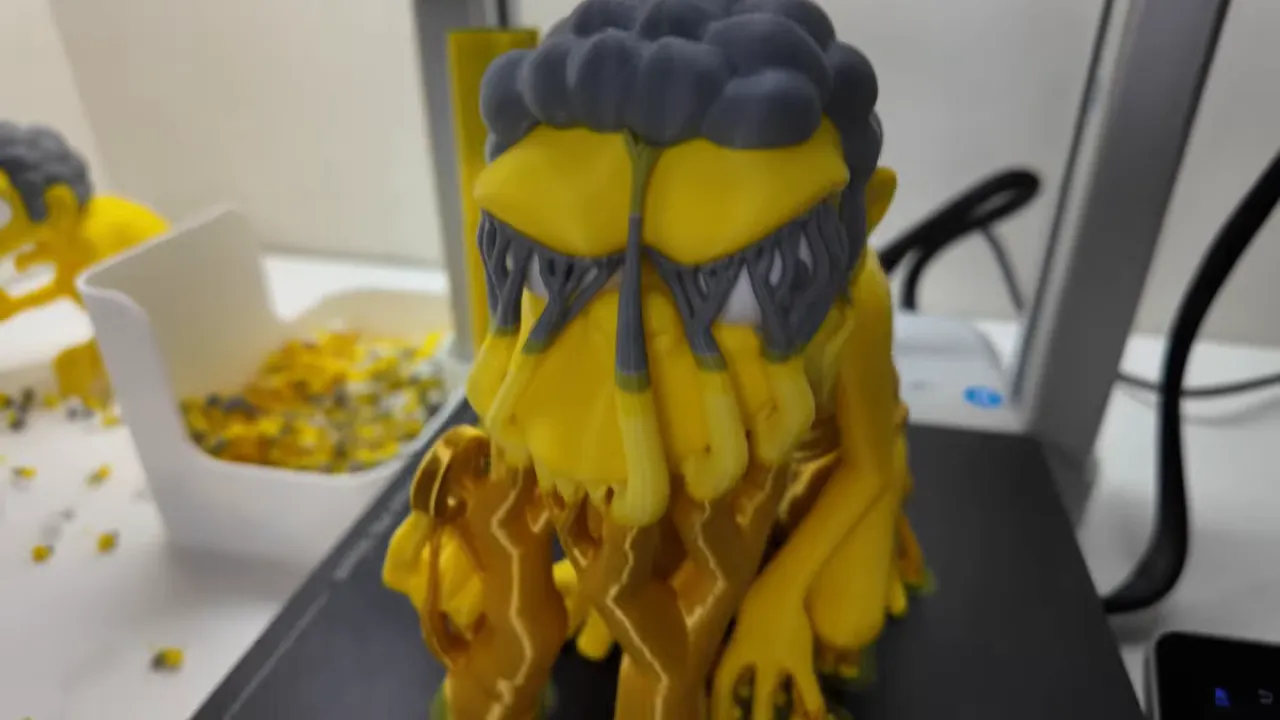
For the main test, I scaled a four-colour Permagolem model to 300%. The result involved just over 1,149 layer changes, which is exactly the kind of print that exposes how efficient, or inefficient, a multicolour system really is.
On a conventional printer, a job like this would normally take around two working days. The Kobra X completed it in just over a day, which was considerably faster than I expected.
The finished result looked far more like something produced by a more expensive printer. The colour separation was good, the print quality was impressive for the price, and the integrated system clearly helps limit the time lost to frequent colour swaps.
Less waste is not the same as no waste
This is the part where it is important to keep the marketing claims in perspective. The Kobra X may create less waste than other single-nozzle multicolour systems, but multicolour printing still produces plenty of purge material.
After a substantial print, there is still a sizeable collection of purge waste and material from the purge tower. The close-to-nozzle cutter and short retraction distance help, but they cannot eliminate the need to flush old colour from a single nozzle.

Bed adhesion was fine throughout testing. However, I did find that filament remnants were left behind after removing models, and they were unusually difficult to remove from the supplied build plate. That is something I have not experienced to the same extent with the same model and filament combination on other manufacturer-supplied plates.
Hardware, controls, and useful extras
The Kobra X comes with a 0.4mm hardened steel nozzle as standard. The complete nozzle assembly can be removed without tools, which is a welcome practical touch for maintenance.
The 3.5-inch touchscreen is responsive and gives access to the main print and filament controls without needing the mobile app. There is also a built-in 720p camera for remote monitoring and time-lapse creation. The video feed is adequate, although the camera position is not ideal.
Other useful features include:
- Filament runout and tangle detection
- Automatic switching to a backup spool
- Object skipping
- Power-loss recovery
- Wi-Fi and LAN connectivity
- Expansion from four to as many as 19 colours with up to four ACE 2 Pro units
Is the Anycubic Kobra X worth it?
For £279, it is difficult to argue with the Kobra X hardware specification. Based on my testing, it delivers better results than its price would suggest, particularly if you want an affordable way to get started with proper four-colour printing.
There are compromises. It is noticeably noisy compared with some similar machines, the software ecosystem still has room to improve, and you should not buy it expecting waste-free multicolour printing.
But the core proposition works. The integrated ACE Gen 2 system makes colour changes faster, the output is genuinely impressive for the money, and the printer completed a demanding multicolour test far more quickly than expected.
At £279, the Anycubic Kobra X is very likely the bargain it claims to be. It is not trying to replace high-end, fully featured multicolour systems, but as a lower-cost route into four-colour printing, it makes a very convincing argument.
|