
FlashForge Creator 5 Review: A Waste-Free 3D Printing Game Changer?
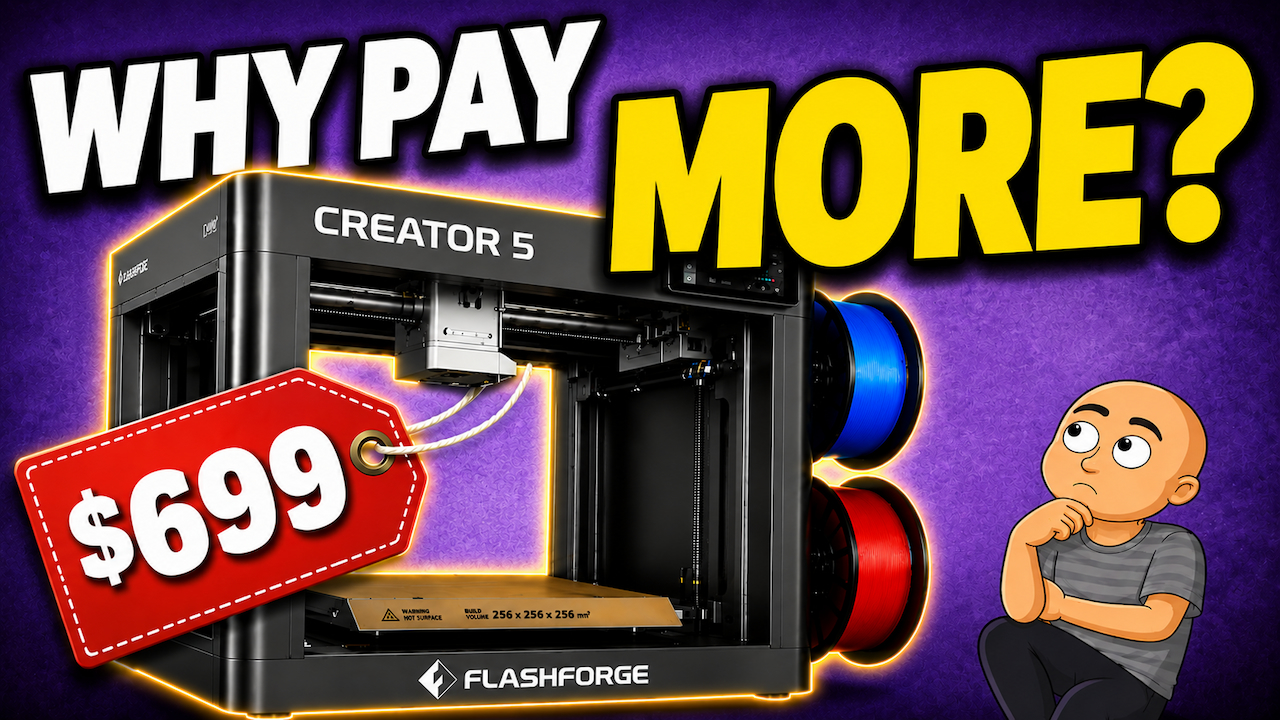
For years, multi-color 3D printing has had a big problem. That problem is waste. Most systems use one nozzle for all colors. They must purge a lot of filament with each color change. This means you often throw away more filament than you actually use in your print. The FlashForge Creator 5 promises to change all that. It uses a smart tool-swapping system instead of a wasteful single nozzle. At a price point that makes older tech look expensive, could this be the future of multi-material printing? Let’s find out.
How the Creator 5 Stops Filament Waste
Most multi-color printers use an AMS-style system. Different colored filaments all feed through the same hot end nozzle. Every time the color needs to change, the printer must purge the old filament. It pushes out the old color to make room for the new one. This purge material is wasted. For complex prints, you can waste more filament in the trash than in your final model.
The FlashForge Creator 5 uses a completely different method. It has four separate, complete print heads. Each head has its own nozzle. Instead of purging filament, the printer simply swaps tools. It picks up the print head with the color it needs and puts the other one away.
This simple change makes a huge difference.
Key benefits of the tool-changing system:
- Massively reduced waste: No more huge piles of purged plastic.
- Faster color changes: Swapping a tool head is quicker than purging and priming a single nozzle.
- Better multi-material prints: You can use different materials for supports without them sticking too much.
First Impressions and Build Quality
The Creator 5 arrives mostly assembled. This is a big plus for users who want to start printing quickly. Setup is described as “appliance-like.”
The unboxing and setup process is very simple:
- Remove the printer from its box.
- Take out the internal packaging.
- Clip the pre-assembled tool head assembly into place.
- Press four protective shields over the parked heads.
- Clip the tool heads onto their magnetic docks.
- Attach the touchscreen panel (it only fits one way, with no cables).
- Remove three bed shipping screws.
The whole process is quick. The reviewer notes that even some single-nozzle printers need more setup work than this.
The build quality feels sturdy. There are no obvious signs that FlashForge cut corners to reach its low price. The touchscreen is adjustable, a nice feature. The extruders are compact, smaller than some competitors’ models.
The Flash Swop System: Simple and Smart
FlashForge calls its tool-changing system Flash Swop. The design is elegantly simple. Each tool head has its own USB cable and a Bowden tube. A separate cable connects to the carriage drive, which houses the extruder motor and fan.
This avoids complex connectors, wireless systems, or special pogo pins. It’s a straightforward, cost-effective solution. It makes rival systems seem over-engineered in comparison.
Specifications and Features
The Creator 5 offers specs that compete with more expensive machines.
| Feature | Specification |
|---|---|
| Build Volume | 256 x 256 x 256 mm |
| Max Bed Temperature | 120°C |
| Max Hot End Temperature | 320°C |
| Connectivity | USB, Wi-Fi |
| Key Differentiator | Four independent tool heads |
The build size is a popular standard. As an open-frame printer, it is not meant for advanced materials that need a heated chamber. For that, FlashForge offers the enclosed Creator 5 Pro. However, the hot end can reach 320°C, which is higher than some enclosed models.
Notable features and small critiques:
- No AI Monitoring: The printer does not have AI failure detection. The reviewer sees this as a potential positive, as AI on other printers can sometimes cause unnecessary pauses.
- Side Power Socket: The power plug is on the side. This was likely a cost-saving choice, but placing it on the back would keep cables tidier.
- Easy Filament Loading: Loading filament is manual but very simple. You push the filament into the guide for your chosen head until it reaches the tool. Then, you press a cut lever and push a bit more.
After setup, the printer runs through an automated calibration process. This takes about 45 minutes and requires no user input.
Software and User Experience
FlashForge provides its own version of the popular Cura slicer. It is a simplified version that gets the job done. Importantly, you do not have to use it. Standard Cura slicer profiles for the Creator 5 are also available.
There is a mobile app for checking printer status remotely. The reviewer does not use such apps, but notes it is there for those who want it.
The printer’s onboard user interface works well. The reviewer suggests the icons and fonts could be more modern for a better “wow” factor, especially on the Pro model. But for its purpose, it is perfectly acceptable.
Performance and Final Thoughts
In use, the Creator 5 shines. Multi-color prints are much faster than on a single-nozzle AMS system. The Flash Swop system changes tool heads in about seven seconds. The printer still uses a “prime tower,” a small structure that ensures each nozzle is ready to print. This is a small trade-off for clean, waste-free results.
The reviewer loaded several test files, including a four-color Benchy model. After over 50 hours of printing, the machine handled everything without issue.
Conclusion
The FlashForge Creator 5 makes a strong case for being the next step in consumer 3D printing. It solves the major waste problem of multi-color printing with a clever, simple tool-changing system. It is easy to set up, well-built, and priced very competitively.
For around $699, it challenges the value of single-nozzle AMS systems. Why deal with constant purging and waste when you can have dedicated print heads for each color? The market is clearly moving toward more efficient solutions, and the Creator 5 is leading the charge with smart, practical engineering.
While long-term reliability remains to be seen, the initial experience is very positive. For anyone interested in multi-color or multi-material printing, the FlashForge Creator 5 is a machine that demands serious attention.