
How to Fix a 1990 Technics E10-Series Vintage Stereo System
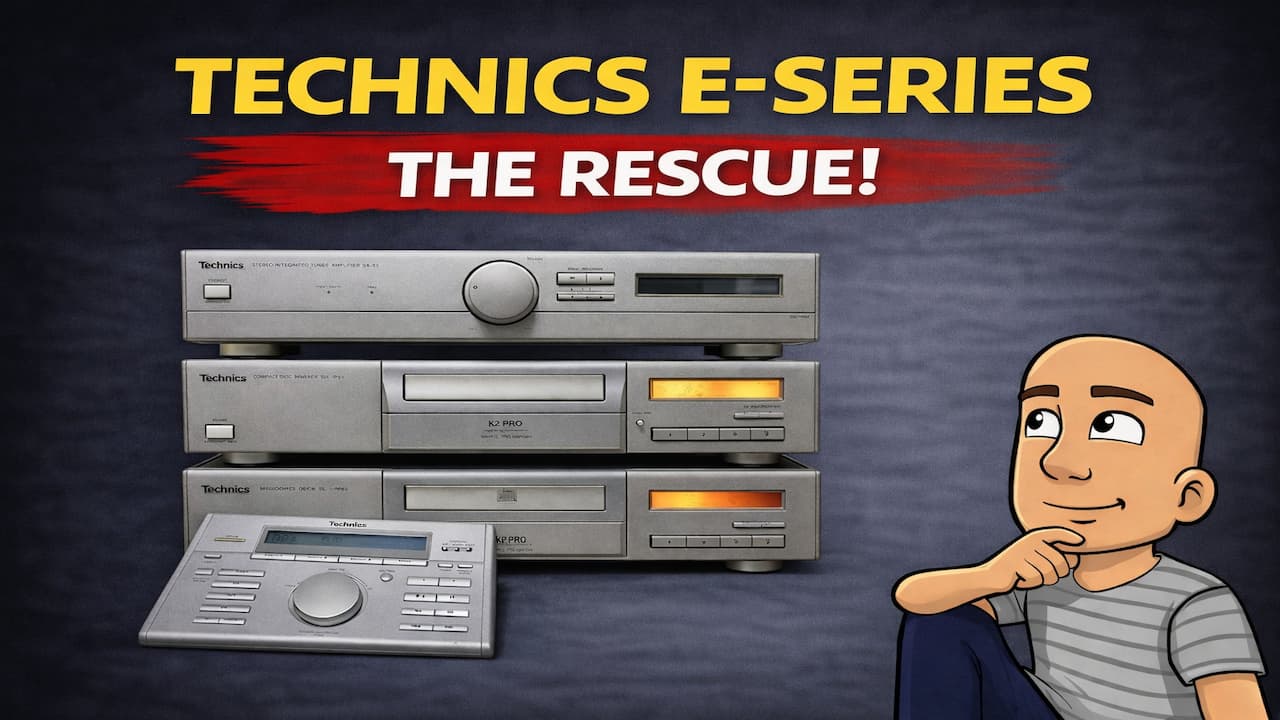
Vintage audio gear has a special charm. The Technics E-Series from the late 1990s is a perfect example. It was built as a “lifestyle” system. This means it combined high-quality Technics parts with a sleek, furniture-style design. The goal was to compete with brands known for their good looks.
This set includes an amplifier, a CD player, and a tape deck. They are all standard separate sizes, not small mini systems. They connect with a single power cable in a neat daisy-chain. A special two-way remote controls everything. It even receives information back from the system to display.
But old electronics often need work. This particular system had problems. The amplifier’s display was dead. The CD player would not play discs. The tape deck worked but needed care. This guide will walk you through the first major repair: fixing the amplifier’s display.
Inside the Technics E-Series Lifestyle System
The Technics E-Series is quite rare. It came out in the mid-1990s to early 2000s. Technics took their reliable standard components. Then, they put them in a “pretty dress.” This fancy cabinet helped it compete with brands like Sonus Faber and Marantz.
The system is more than just good looks. It has a twin power supply in the amplifier. This is a step up from many basic integrated amps of that time. It means better, cleaner power for your speakers. The back panel offers plenty of inputs for all your music sources.
A unique feature is the control system. The components do not have normal infrared sensors. Instead, a central transmitter-receiver box handles all remote commands. When you turn on the main amplifier, it switches everything else on or off. It also changes inputs for you. This makes the whole system feel like one unified piece.
Common Problems with Vintage Audio Gear
When you find old stereo equipment, it usually needs some love. Time takes a toll on the parts inside. The issues with this Technics set are very common for its age.
- Dead Displays: The bulbs or LEDs behind the screen burn out. This leaves you with a dark front panel. You can hear sound, but you cannot see settings or volume levels.
- CD Player Failures: Laser lenses get dusty or weak. Mechanical parts for loading discs can stick or break. This often leads to a “No Disc” error.
- Tape Deck Issues: Rubber parts, like belts and pinch rollers, dry out and crack. This causes poor playback speed or eating tapes. The heads also get dirty and need a good clean.
For this repair project, we start with the most pressing issue. The amplifier was completely dead visually. Fixing the display is the first step to bringing the whole system back to life.
Step-by-Step: Repairing the Amplifier Display
Fixing the display is a hands-on job. You will need basic tools like screwdrivers. You also need a steady hand and some patience. Here is how to do it.
Opening the Amplifier Case
First, you need to get inside. The front panel is held on by three screws. These are located along the bottom edge. Remove these screws carefully. Once they are out, you can gently pull the front panel forward. It should come away from the main chassis.
Technics used smart design here. They connect the front panel with little edge connectors. This means you often do not need to disconnect any cables. You can work on the unit with the panel slightly open.
Removing the Controls and Faceplate
With the panel loose, you can access the parts. Start by taking off the main volume knob. It should pull straight off. Underneath, you will find a nut. Remove this nut to free the volume control assembly.
This amplifier has a motorized volume control. This lets the remote control change the volume. You can slide this whole assembly out. Once it is out, it is a good chance to clean it. A drop of special electronic cleaning fluid into the potentiometer works well. Turn the knob a few times to spread the fluid. This smooths out any scratchy sound or stuck spots.
Next, you need to remove the main front faceplate. This is the metal or plastic piece behind the knobs. It is held by clips. Look for the tabs near where the knobs were. Press these tabs to release the plate. You can then lift it up and move it out of the way.
Replacing the Display Bulbs
Now you can see the display board. Look for the small bulbs that provide the backlight. They will be in little holders. In this model, you can see two bulbs that need replacing.
The process for these bulbs is simple.
- Take your new replacement bulbs.
- Push the wire legs through the holes in the circuit board.
- Push the bulb itself firmly against the board.
- You can trim the excess wire length with wire cutters.
Once the new bulbs are in, the display should light up. You can now start putting everything back together.
Reassembling the Amplifier
Reassembly is the reverse of the disassembly process. Be careful and take your time.
- Place the main faceplate back over the front. Make sure it clips securely into place.
- Reinstall the motorized volume control assembly. Line up the connectors and slide it back in. There is a retaining screw that goes across the top. This screw stops the motor from moving around. Do not forget it.
- Put the volume knob’s nut back on and tighten it. Then, push the main volume knob back onto its shaft.
- Any other small knobs that fell off (like for bass or treble) can be popped back on now.
- Finally, line up the entire front panel. You must align all the small edge connectors. Once lined up, push the panel firmly back onto the main chassis. You should hear a soft click as everything seats properly. Give the connectors a gentle squeeze to ensure they are fully engaged.
Testing the Repair
The moment of truth comes with testing. Plug the amplifier back into power and turn it on. If the repair was successful, the display should now glow clearly. You will be able to see the input selected, the volume level, and other settings.
This repair also fixed another issue. After replacing the bulbs, the amplifier had output. This means it could now send sound to the speakers. A simple bulb replacement brought this vintage amplifier back from being a dark, silent box to a fully functional piece of audio history.
Conclusion: The First Step in a Full Restoration
Fixing the amplifier’s display is a major victory. It transforms the unit from broken to usable. This work shows the value of repairing old electronics. Often, the problems seem big, but the solutions can be simple. A few cheap bulbs and an hour of careful work saved this amplifier.
This is just the first component in the three-piece system. The CD player still shows a “No Disc” error. It will not play any compact discs. The tape deck plays, but it will need a full service. This includes new pinch rollers and a deep clean of the tape heads.
The journey to restore a classic stereo system is rewarding. Each fixed piece adds to the whole. Soon, the Technics E-Series will be complete again. It will deliver the great sound and sleek look it was famous for. The next step will be to tackle that stubborn CD player. With the right approach, it will be spinning discs in no time.
Do you have vintage audio gear that needs repair? Share your restoration projects in the comments below.