
How to Fix a Vintage Kenwood KA-5090R Amplifier`s Input Selector
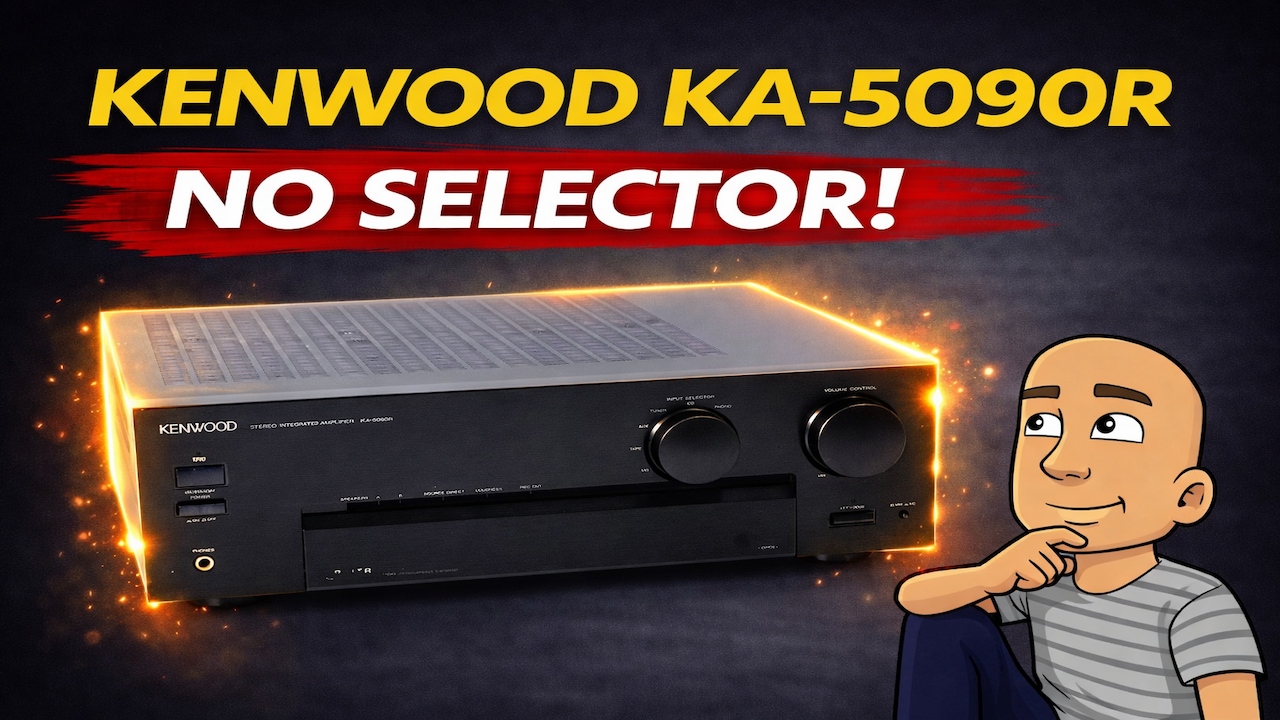
Keeping vintage audio gear running can be very rewarding. Older amplifiers, like the Kenwood KA-5090R from the late 1990s, often sound great and are built to last. However, age can bring problems like dirty controls and bad electrical connections.
This guide walks through a common repair. We will fix an amplifier with a faulty input selector that changes channels on its own. You will learn the full repair process, from diagnosis to final testing. This includes opening the unit, cleaning the controls, and fixing bad solder joints.
Diagnosing the Problem
The first step is to find what is wrong. The amplifier in question is a Kenwood KA-5090R. This is a mid-range model from the late ’90s. It even has a remote control.
When powered on, the amplifier had a clear issue. The input selector knob was changing positions on its own. The user did not touch it. This is a classic sign of a problem with the selector switch.
This problem can have a few causes. The most common is simply dirt and dust inside the switch. Over decades, grime can build up. This stops the switch from making good electrical contact.
Another possibility is physical wear. The plastic parts inside can degrade. The metal contacts can also wear down from use. Finally, the problem could be a “dry joint.” This is a bad solder connection on the circuit board.
Preparing to Open the Amplifier
Before any repair, you must safely open the unit. Always unplug the amplifier from the wall first. This is a critical safety step.
The Kenwood KA-5090R case is held by screws. There were two screws on each side. There were also three more screws on the back panel. Removing these allowed the top cover to come off.
Inside, the amplifier was very clean. There were no thick layers of dust. This is a good sign. It often means the unit was cared for and not exposed to harsh environments.
To reach the faulty selector, the front panel must come off. All the controls are mounted behind a metal shield. This requires more disassembly.
Step-by-Step Disassembly
Taking apart the front panel requires care. You must not damage any wires or plastic clips. Here is the process used:
- Remove the control knobs. These are often held by a small set screw or just press-fit. A thin blade or cloth can help pry them off gently.
- Locate and remove the front panel screws. These are often found around the edges of the panel, sometimes hidden under stickers or badges.
- Disconnect all wires. The front panel is connected to the main board by several wires. These are usually simple plastic connectors. You gently unclip them by hand. Do not pull on the wires themselves.
- Look for an earth wire. A green or bare wire is often screwed to the chassis for safety. You must remember to reconnect this later.
- Remove the power switch. On this model, the power switch was part of the front panel assembly. It had to be unscrewed to free the panel completely.
Once these steps are done, the front panel can be carefully set aside. Now you have clear access to the input selector switch and other controls.
Inspecting and Identifying the Fault
With the front panel off, the repairer could see the circuit board holding the input selector. A close visual inspection is key.
The first impression was not great. Looking at the solder joints where the switch connects to the board, one joint looked broken. This is a “dry joint” or “cold solder joint.” The solder crack breaks the electrical connection. This can cause the intermittent, jumping behavior seen in the selector.
The switch itself was also an open design. This means you could see the metal wiper contacts inside. This type of switch is prone to collecting dust. It clearly needed a good cleaning.
The Repair: Reflowing Solder and Cleaning
The repair involved two main actions: fixing the bad solder and cleaning the switch.
Step 1: Reflowing the Solder Joints
A soldering iron was used for this step. The process is called “reflowing.” This means heating up the old solder until it melts and flows again. It fixes any cracks or gaps in the joint.
The repairer heated each pin on the selector switch. They applied a small amount of fresh solder to ensure a strong connection. This fixed the broken joint seen during inspection.
Step 2: Cleaning the Selector Switch
After fixing the solder, the next job was cleaning. A specialty product called contact cleaner was used. The specific brand mentioned in the repair is Servisol.
This cleaner is preferred because it does two jobs. First, it dissolves dirt, dust, and old grease. Second, it leaves behind a light lubricant. This helps the contacts move smoothly and prevents future corrosion.
The cleaner was sprayed directly into the open switch. The repairer then worked the knob back and forth many times. This action scrubs the cleaner across the metal contacts. It washes away the grime causing the bad connection.
The difference was immediate. The switch felt smoother and more positive in its movements.
Key Tools for This Repair:
- Soldering Iron: For fixing bad solder joints.
- Contact Cleaner: Servisol or a similar brand with lubricant.
- Screwdrivers: For opening the case and removing parts.
- Pliers or Nut Drivers: For removing knobs and nuts.
Reassembly and Final Testing
Putting the amplifier back together is just as important as taking it apart. You must ensure everything is reconnected properly.
- Reconnect all wires. All the plastic connectors pushed back into their sockets on the main board.
- Secure the power switch. The switch was screwed back into the front panel.
- Reattach the earth wire. This safety wire was screwed back to the chassis.
- Replace the front panel. It was aligned and clipped back into place.
- Tidy internal cables. Loose wires were secured with small cable ties. This prevents them from touching parts they shouldn’t and keeps the inside neat.
- Replace the top cover and knobs. Finally, the outer case screws were put back in, and all knobs were pressed onto their shafts.
With everything back together, it was time for the final test. The amplifier was plugged in and powered on.
The result was a success. The input selector knob worked perfectly. It clicked firmly into each position with no jumping or automatic changing. A quick test with an audio signal showed clean output on an oscilloscope. The repair was complete.
Features of the Kenwood KA-5090R Amplifier
After the repair, the repairer noted the amplifier’s features. It is a well-equipped unit from its era. Key features include:
- Source Direct: This bypasses the tone controls for a pure signal path.
- Loudness Control: Boosts bass and treble at low listening volumes.
- Tone Controls: Standard bass and treble knobs for adjusting sound.
- A/B Speaker Switching: Allows you to connect two sets of speakers and choose between them.
- Switchable Phono Input: This lets you connect a record player. You can switch it for different types of turntable cartridges.
Why Repair Vintage Audio Gear?
Fixing a piece of vintage gear like this Kenwood amplifier has several benefits. First, it keeps perfectly good equipment out of landfills. This is better for the environment.
Second, many people think older amplifiers have a warmer, more pleasant sound. The components and design from the ’70s, ’80s, and ’90s are often high quality. They were built to be serviced, unlike many modern devices.
Finally, the knowledge gained is valuable. Learning to diagnose and fix simple problems like a dirty switch is empowering. It saves money and brings the satisfaction of using something you brought back to life.
Conclusion
Repairing a vintage Kenwood amplifier with a jumping input selector is a manageable job. The problem is often simple. Dirty contacts or a single bad solder joint are common culprits.
The process requires basic tools and patience. Safety is the most important rule. Always work on unplugged equipment. The steps are clear: open the unit, find the fault, clean or reflow the connections, and reassemble.
This Kenwood KA-5090R was a great example. It was a nice, simple fix that saved a piece of vintage technology. The amplifier now works as good as new. It is ready to provide many more years of high-quality sound. With some care, these classic audio components can last for decades.