
Saving this Vintage Sony SCD-XA333ES SACD Player
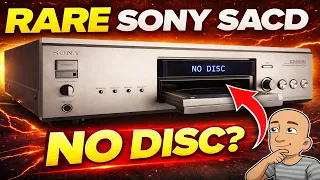
Vintage Sony SACD players are prized for their excellent audio quality and robust construction. The SCD-XA333ES is one of these top-tier models. Like all electronics, these machines can fail over time. A common issue is when the player stops loading or reading discs. Many people assume the laser unit has failed. For older machines, a replacement laser assembly can be very difficult to find and expensive. The good news is that the problem is often much simpler. It is regularly caused by a worn-out loading belt or another minor mechanical fault. With some basic tools and patience, you can often bring a high-end player back to life. This guide walks through a real-world repair of a non-loading Sony SACD player.
Diagnosing the Problem
Before opening any electronic device, the first step is to test it. Plug in the power and observe what happens. In this case, pressing the power button produced a motor spinning sound. The disc tray attempted to open but did not move fully. The machine made a whirring noise as it continued to try. This symptom is a strong clue. It suggests the loading mechanism is trying to work but cannot. A failed laser would often not cause this specific tray movement issue. The whirring points to a motor spinning without moving the tray. This often means a slipping belt or a broken plastic gear. The laser might still be perfectly functional.
Opening the Sony SCD-XA333ES
The first step to repair is safe disassembly. This model has a solid, heavy chassis built to last.
- First, unplug the machine from the wall.
- Remove the two screws on each side of the top panel.
- Remove the single screw on the rear panel.
- Carefully lift off the top lid.
Inside, the build quality is clear. The power supply uses high-quality capacitors. The main audio processing board is packed with components. The money spent on this player when new went into these premium parts. The goal is to access the loading mechanism without removing every board. Start by taking out the screws that hold a top metal rail in place. Removing this rail provides the first look at the laser assembly and loading area.
Accessing the Loading Mechanism
On many Sony players, the loading belt is easy to reach. In this model, it was tucked under the mechanism. To get to it, more disassembly was needed. The front fascia panel had to be removed. This involved taking out several screws and disconnecting several cables.
Labeling cables as you unplug them is a very good practice. It makes reassembly much easier. In this repair, the cables were carefully tracked. One set went from the front panel to a connector on the top board. Another cable connected the front power switch to the power supply board. After disconnecting everything, the front panel could be lifted away. This finally provided clear access to the loading tray and its drive belt.
The Fix: Replacing a Worn Belt
With the mechanism exposed, the faulty part was easy to see. A small rubber belt connects the loading motor to the gears that move the tray. Over years, this rubber dries out, stretches, and loses its grip. It can become shiny and slick. This prevents it from turning the gears, which is why the motor whirred but nothing moved. The old belt was gently removed.
A replacement belt of a similar size was used. For a loading mechanism, the exact size is not as critical as for something like a tape deck capstan. The new belt just needs to fit snugly and have good grip. The new belt was stretched over the motor pulley and the driven gear. After the belt was on, the mechanism was tested by hand. The tray should move smoothly.
Reassembling the CD Player
Reassembly is the reverse of disassembly, but requires care.
- The loading tray must be threaded back through the front opening.
- The guide rail must be aligned correctly so the tray slides straight.
- The front fascia panel clicks into place over specific posts and tabs. All connectors must be routed properly before the panel is secured.
- Every cable unplugged earlier must be reconnected. This includes the power switch cable and the front panel control cables.
- The top metal rail is screwed back into place.
- Finally, the main lid is replaced and its screws are tightened.
The Moment of Truth: Testing the Repair
With the player fully reassembled, it was time for a test. A standard CD was inserted first. The tray closed smoothly. The player read the disc information and began to play music. The more important test was for its specialty: Super Audio CDs (SACDs). An SACD was placed in the tray. The player successfully recognized the high-resolution disc and began playing it. The repair was a complete success. The fault was not the costly and rare laser. It was a simple, inexpensive rubber belt.
Conclusion: Don’t Assume the Worst
This repair shows a valuable lesson for fixing vintage electronics. The most dramatic symptom does not always mean the most expensive part has failed. When a high-end CD or SACD player stops loading discs, the laser is often blamed. In many cases, the issue is purely mechanical. A worn belt or a cracked gear in the loading assembly is the true culprit. These parts are usually cheap and widely available.
Fixing these problems yourself can save a fantastic piece of audio equipment. It keeps it out of the landfill and gives it many more years of service. The Sony SCD-XA333ES is a machine worth saving. Its audio performance and build quality are far beyond modern budget players. With some basic diagnostic skills and simple tools, you can tackle this kind of repair. You can restore beautiful music to your home.